
Principle 8. Use technology to facilitate student learning.
Technology has an increasingly critical role in our world. Effective schools who seek to promote learning and growth for all students will use technology in a variety of ways that include: helping students to learn to use computers, tablets, and phone apps for a wide range of tasks; use assistive technology to help learners with special needs; and use artificial intelligence to accomplish tasks.
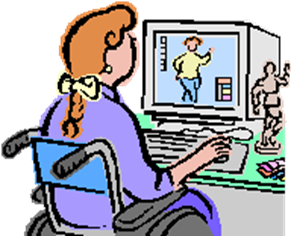
With the use of technology, a new world has opened up for students in terms of what and how they learn. Children and teachers are able to access more information than ever before. Technology in the classroom falls into four categories. These categories are: (1) technology used by teachers for instruction; (2) technology students utilize on their own; (3) assistive technology for students who have special needs and (4) connecting to families.
Technology used by teachers for instruction
The first category of teacher created materials looks at how teachers put together things for lessons. The inclusion of the Smartboard in classrooms has provided a way for the teacher to easily have engaging and interactive visuals that coincide with the lesson. In an elementary classroom setting, the teacher might use a variety of websites to create slides for lessons. Some teachers create a slide that walks through their daily lessons each day. In middle school and high school settings, these daily slides are then loaded to a school website program, such as Clever or Canvas, so that they can be accessed and reviewed from home. This allows students to see the materials whenever needed. If someone is helping them, whether another teacher, a parent, or a tutor, they can see what the students were learning in class. Another way teachers use these learning platforms is to post videos of what or how they are teaching. Some teachers post it so students can review it from home. Other teachers post it to inform parents who are helping their student, particularly in elementary school.
Technology used by students
The second type of technology is that utilized by the student, either at home or in the classroom. Most schools are at least a 1:1 ratio of computers to students. Some districts are even 2:1, in which they provide a chromebook to students for use at home. There are platforms that are used to load assignments or directions for assignments that are not done on a computer. Seesaw, Canvas, Google Classroom, and Schoology are four such platforms.
Seesaw is used at the elementary level to post assignments for children. Since each assignment loads to that student’s account, it is easy to make different assignments for different students. Websites, like Shepphard Software as an example, have a host of games that are used to practice many math concepts. Similarly, websites such as IXL have a host of things that students can use. Teachers can assign things at different levels. A second grade teacher can assign work that is on grade level to some, below to others, and above to others, all on the same topic. They can create a leaderboard that tracks correct answers, however it does not say the level of the work. This allows all students to be honored for doing their work, regardless of level.
Assistive technology
The third way that technology is used in the classroom is use assistive technology for students who have specific special needs. We can view assistive technology through many lenses. First we can use low-tech solutions are often simple manual adaptations that require little cost or sophistication—though they often reflect great creativity (Cook & Hussey, 1995). Examples include:
- A rubber pad on a desk to help materials adhere more easily, for students with limitations in their control of their arm and hand movements (such as children with cerebral palsy)
- Large pencils or foam blankets for pens to make these implements easier to grasp
- Communication boards that have pictures or simple words to which a student can point to communicate
High-tech devices, on the other hand, involve more sophisticated engineering. Obvious examples include:
- Computers, including scanners and systems that run talking software
- Electronic alternative communication devices with which students use eye gaze or head bands to focus on words or pictures, causing the device to say words aloud in digital speech
- Electric wheelchairs that are guided by a joystick or by “puff-and-sip” commands activated by the person’s mouth
Assistive technology fills various functional needs of individuals. For each of these functional activities, many different types of devices can be used. Organizing assistive technology based on functional needs is helpful; for example:
- Numerous devices help people with communication; these range from simple devices that record one to three spoken messages to complex communication aids.
- Other devices such as wheelchairs, adapted automobiles, or leader guide dogs aid people in mobility, or getting from one place to another.
- Some devices may assist primarily in written communication—scanners and talking software, books on tape, dictation software. Software that does sound to text and text to sound can help students in both reading and writing.
- Other technology may help with hearing or interpretation of sounds—hearing aids, software that converts recordings to text, sign language interpreters (Cook & Hussey, 1995; King, 1999).
Increasingly there are local centers often available through intermediate school districts or local rehabilitation centers that provide access to various types of assistive technology. On a national level in the United States two resources are particularly useful:
- The Center for Applied Special Technology (CAST) has developed a model of universal curriculum design and has produced tools designed to move in this direction.
- Closing the Gap provides both an online and a hard-copy catalogue of hardware and software.
Use of assistive technology can be a valuable tool to strengthen implementation of other principles of whole schooling. For example, a student using text speech and speech to text software can pursue writing and reading at her own level of ability while partnering with a peer who can learn about a new technology. Other examples are abundant.
Communication with parents
The fourth way that technology is used is to communicate with parents. ClassDojo has become a huge presence, allowing for messaging parents as a whole group, having private conversations, as well as other things like sharing photos of things going on in the classroom and signing up for events. Parents can get questions answered without it being a lengthy process. Teachers and families can form real connections to partner with families to build success for the students.
Technology has definitely changed how we plan for and present lessons and how students learn topics. With all change, there are amazing things that happen and limits to watch out for. Teachers have to be careful to use it for the good of students learning and not as an easy way to occupy students. With everything, there has to be a balance. Everything cannot be on computers. There has to be a balance between that new world of technology and the world right in our hands with books, notebooks, and writing with pencils. Games on computers are balanced with games using people, cards and dice. Books on the screen are not to replace books in person, but to supplement. Finding this balance is ever the challenge of the whole schooling teacher.
RESOURCE LINKS: Principle 8. Use technology to facilitate student learning.
Do I Need to Use Tech for That Lesson?
How Technology Is Reinventing Education.
Teachers' Essential Guide to Teaching with Technology.
Top 5 Benefits of Technology in the Classroom.
Using Technology Purposefully.
Integrating Technology into the Classroom: Tools and Tips.
Technology in Education: Promoting Student Engagement.